Doing your homework
Finding what is assigned, answering, checking yourself, submitting — and what happens when it comes back.
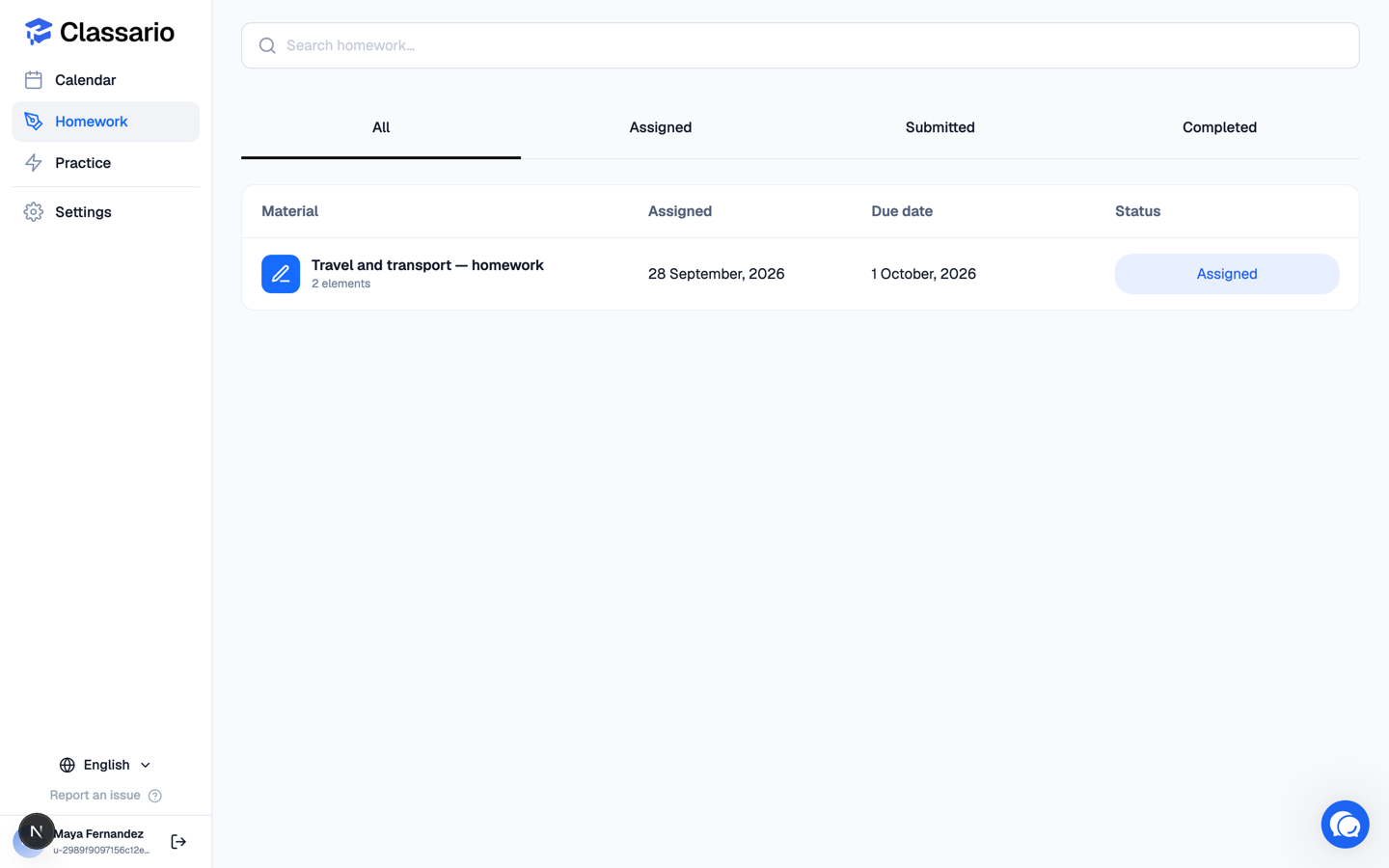
Open Homework in the sidebar. Everything assigned to you is listed with its due date and status.
Doing it
Click an assignment to open it. Your teacher's instructions are at the top, then the exercises.
- Answer as you go — your work saves automatically. You can close the page and come back.
- Many exercises have a Check answers button that marks them straight away and shows your score. Use it: finding a mistake yourself is the point.
- Some questions — writing, or recording your voice — cannot be auto-marked. Your teacher reads or listens to those.
Handing it in
When you are done, submit it. The status becomes Submitted and it goes to your teacher. Until then it stays Assigned, however much you have filled in.
If it comes back
Your teacher can return an assignment for another attempt, with feedback explaining what to fix. It reappears in your list as Assigned — correct it and submit again. When they are happy, it becomes Completed.
A due date is a deadline, not a lock. You can still open and submit an assignment after its due date unless your teacher says otherwise.
Related
- What you see in Classario
- Practising vocabulary