Recurring lessons
Weekly and fortnightly series, choosing which weekdays and when they end, and changing one lesson versus the whole series.
Most tutoring runs to a timetable. Classario creates the whole series up front, as real lessons you can edit one by one.
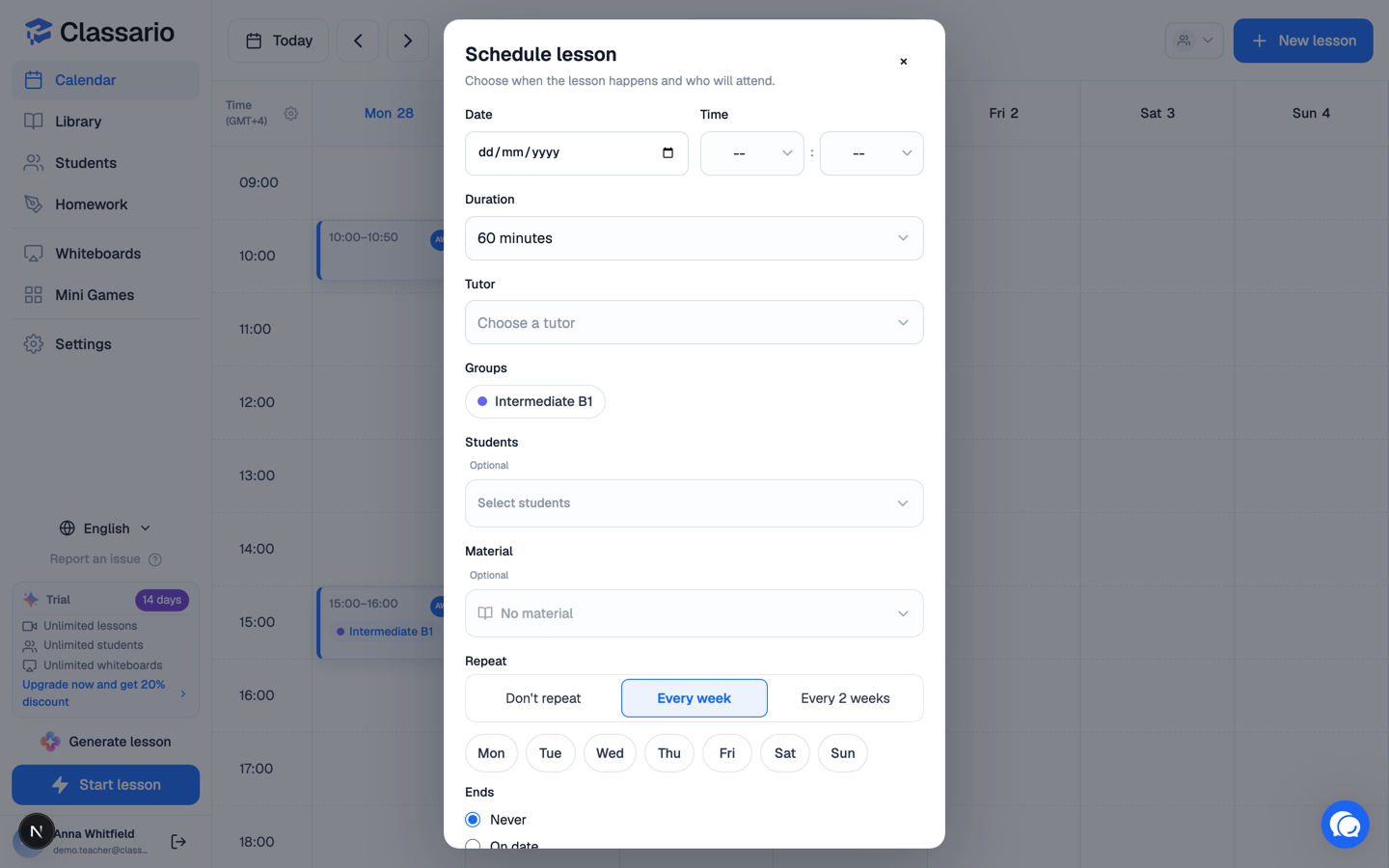
Set up a series
- Open New lesson and fill in the date, time, duration, students and material as usual.
- Under Repeat, choose Every week or Every 2 weeks.
- In Repeat on, tick the weekdays. Tick more than one for, say, a Tuesday-and-Thursday course.
- Choose when it Ends:
- Never — Classario creates about three months of lessons ahead.
- On date — every occurrence up to that date.
- After N lessons — an exact count.
- Check the Next: preview of upcoming dates, then press Create lessons — the button tells you how many it will make.
A series is capped at 60 lessons at a time. When a "Never" series runs low, create a new one from the last lesson.
Why real lessons, not a rule
Each occurrence is a genuine lesson with its own material, participants and chat. You can move next Tuesday's lesson an hour later, swap its material, or cancel it, without touching the rest.
Changing one lesson or the rest
Click any lesson in the series and you get both scopes:
- Cancel this lesson / Delete this lesson — this occurrence only.
- Cancel this & following / Delete this & following — this one and every later occurrence. Deleting is permanent.
Past lessons in the series are never touched by either.
Related
- Scheduling a lesson
- Student groups